
Employee Evaluations - Supervisors/Evaluators
Creating an Evaluation
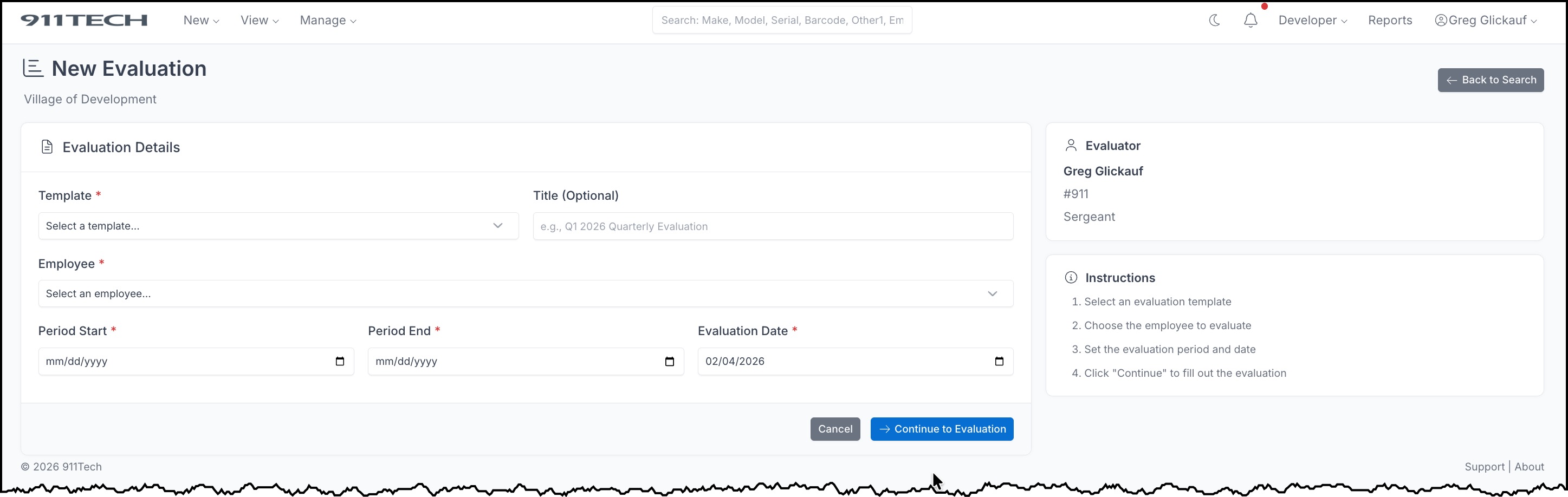
- Navigate to New => Evaluation
- Choose an Evaluation Template
- Optionally enter a title
- Select the Employee to be evaluated
- Set the Evaluation Period (start and end dates)
- Click Continue To Evaluation
Completing an Evaluation
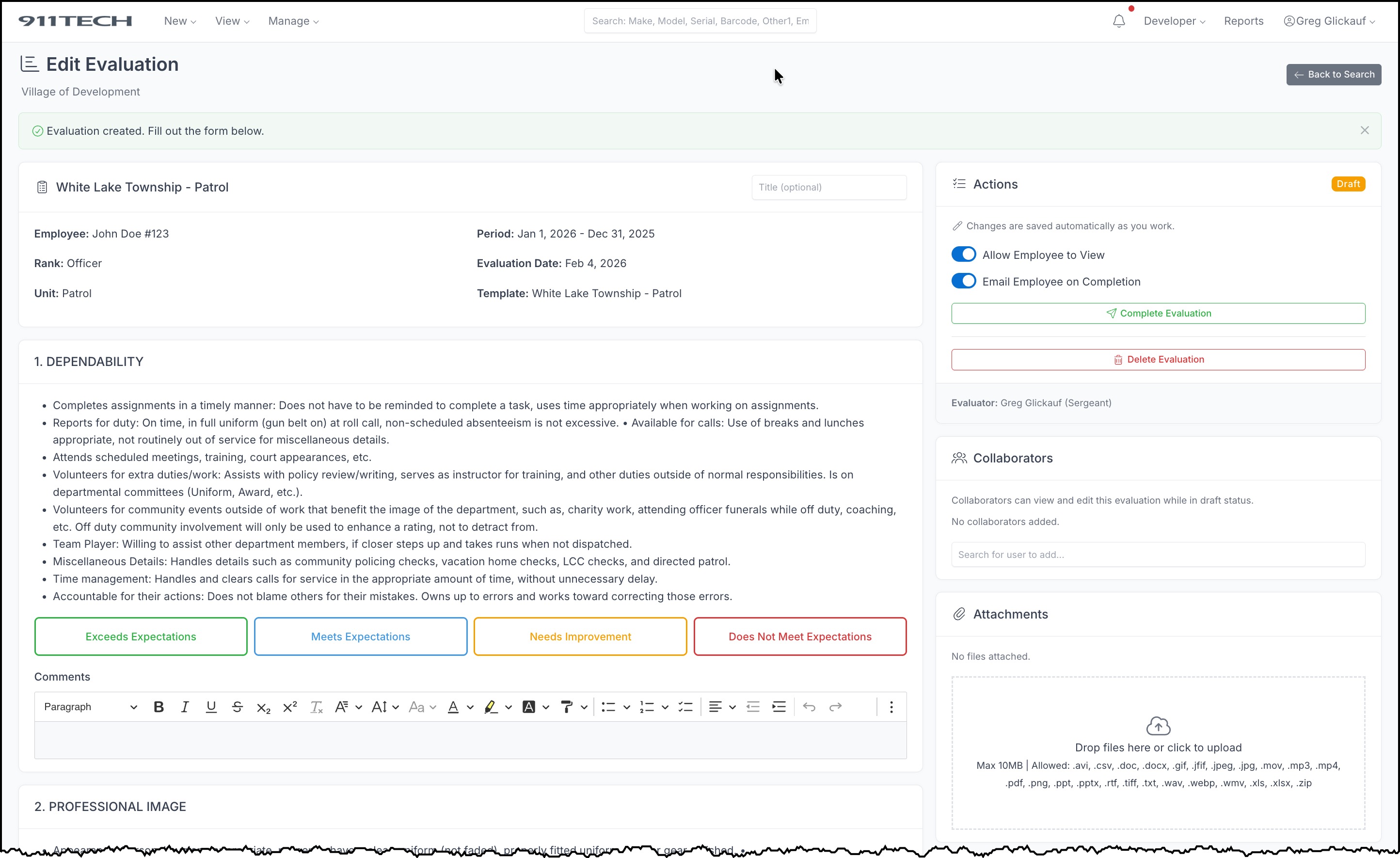
- Open the evaluation from your dashboard or the Evaluations list
- For each category, provide ratings and comments as required by the template
- Add any overall comments in the final Comments section
- When finished, click Compete Evaluation to start the workflow
Responding to Appeals
If an employee files an appeal on an evaluation you created:
- You will receive an email notification about the appeal
-
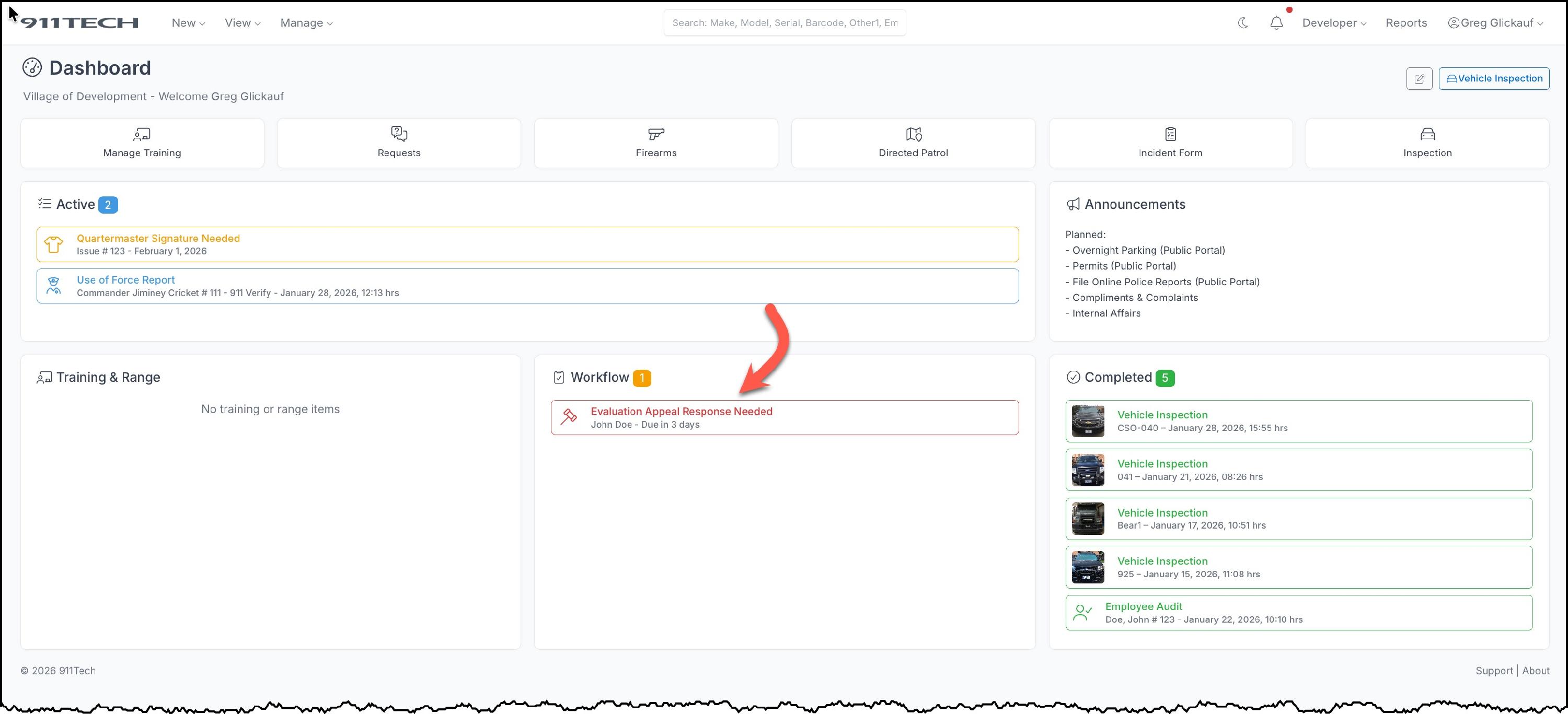
A notification will appear on your dashboard
-
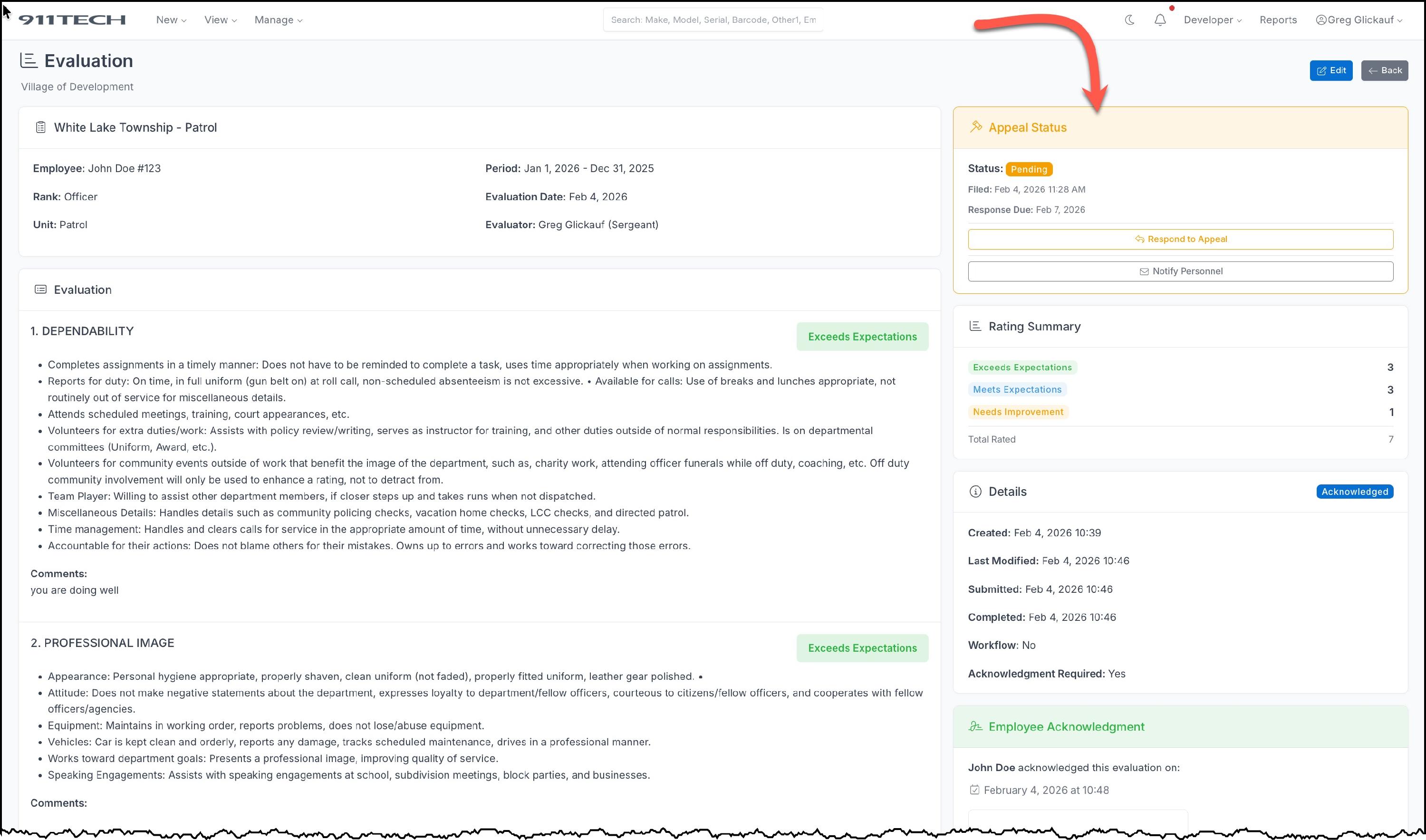
Open the evaluation and review the employee's appeal reason
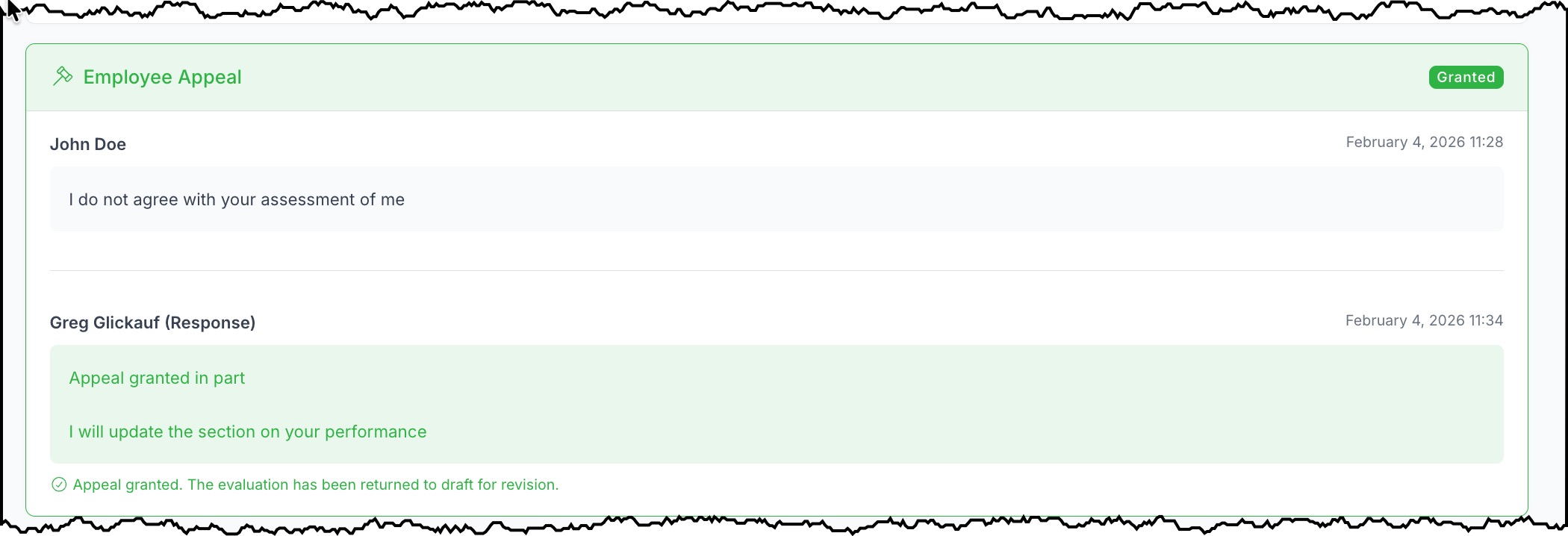
- Click Respond to Appeal and select your decision:
- Grant Appeal - The evaluation returns to draft status for revision
-
Deny Appeal - The evaluation remains as-is
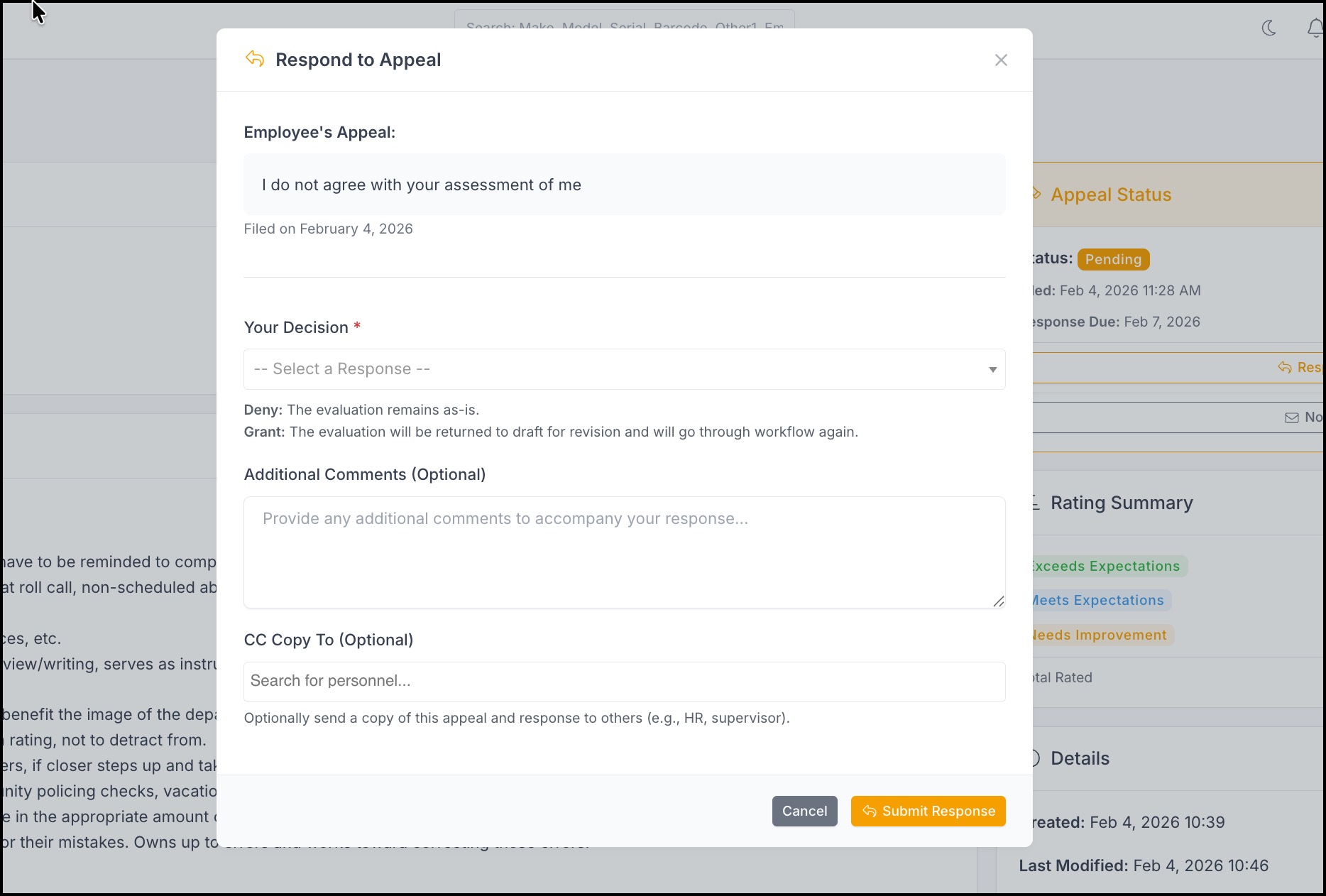
- Add any additional comments and optionally CC others on your response
- Click Submit Response
