
Employee Evaluations - Employees
Viewing Your Evaluations
-
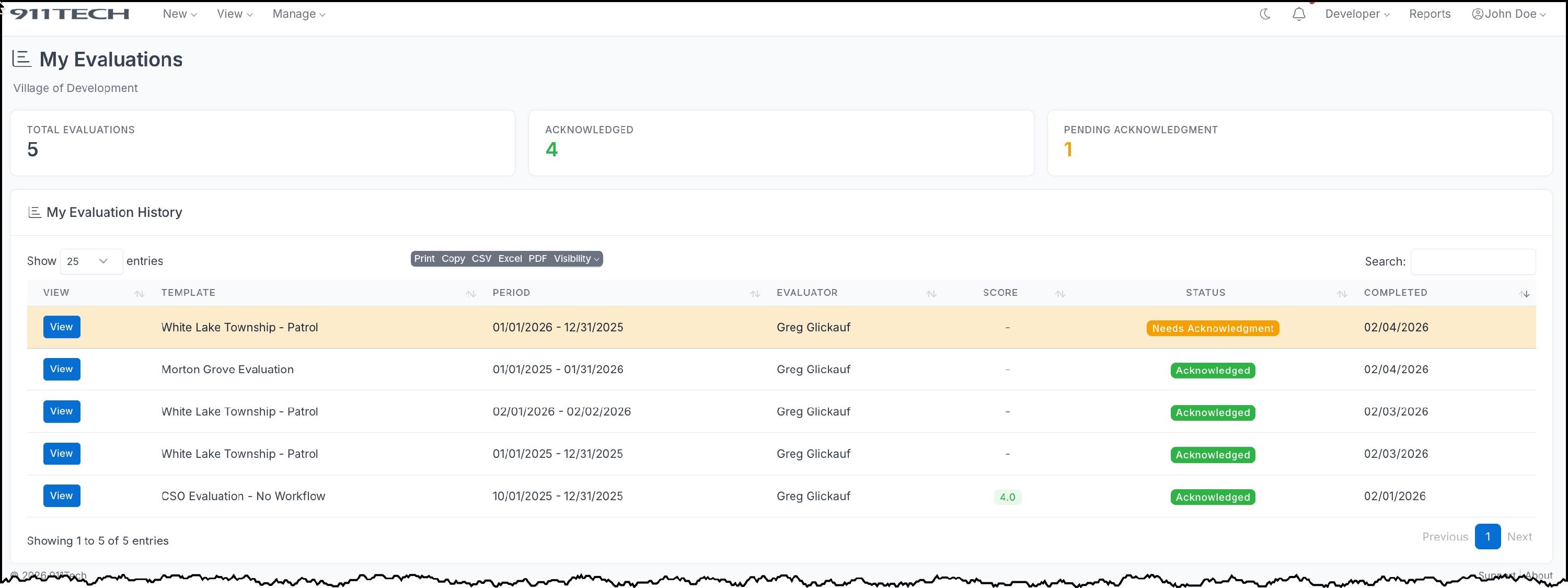
Navigate to My => Evaluations from the main menu
-
Click on any evaluation to view the details
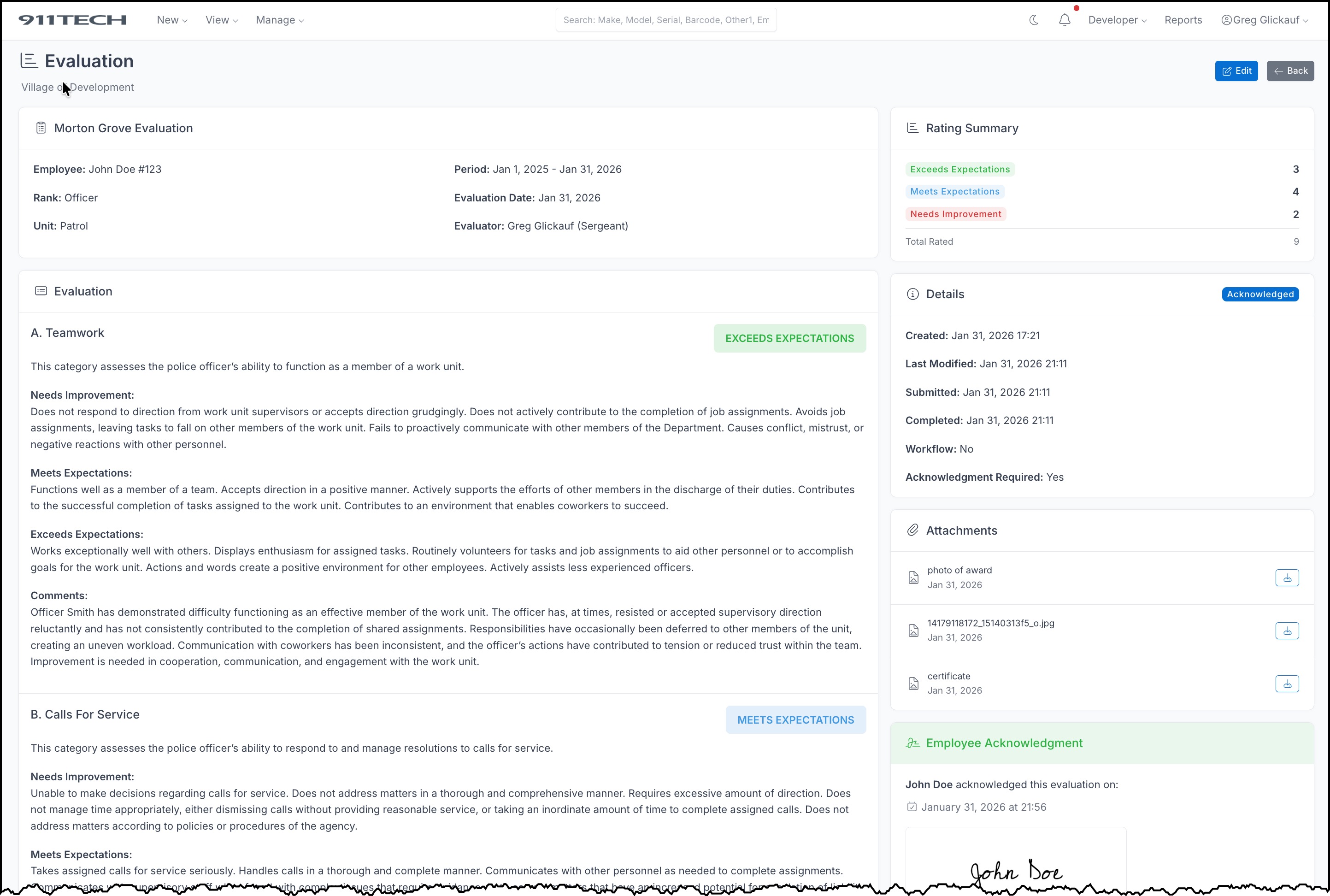
- You can see all ratings, comments, and your overall score
Acknowledging an Evaluation
Once your evaluation is completed and marked for your review:
- Open the evaluation from My => Evaluations
- Review all ratings and comments
-
If you have a signature on file, click Acknowledge Evaluation
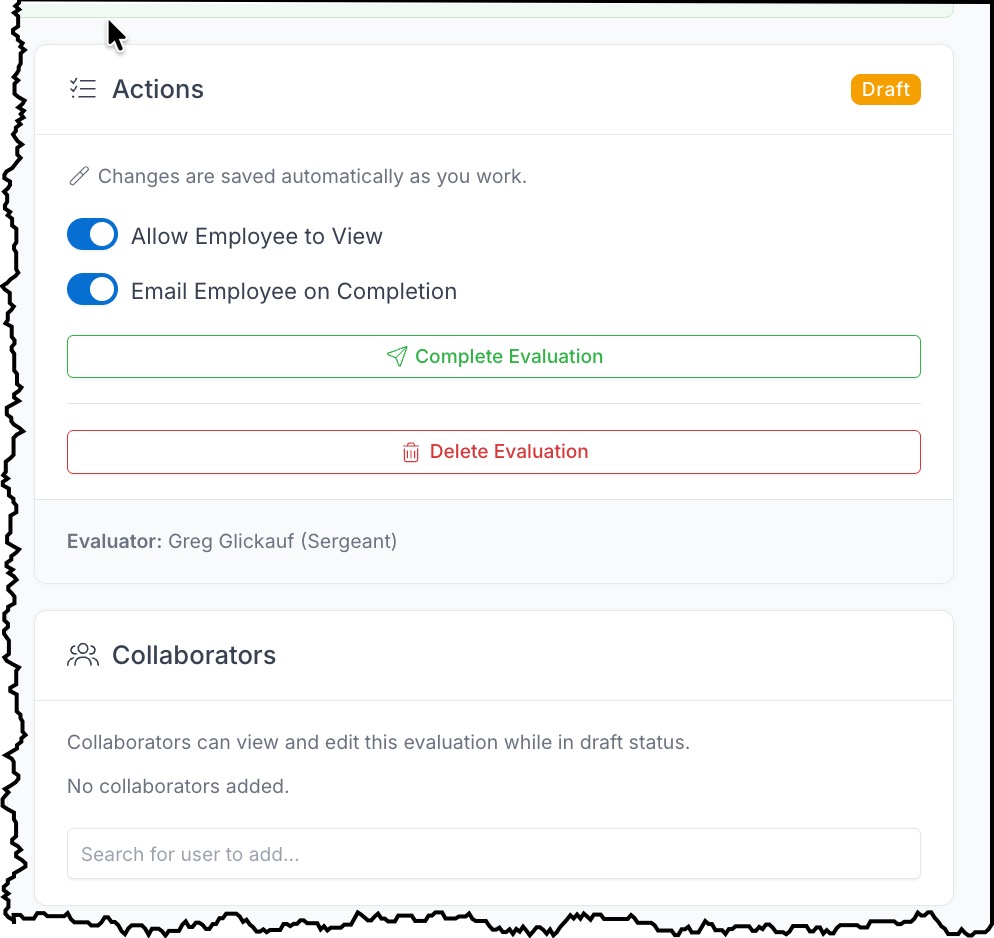
- If you need to create a signature first, click Create Signature to Acknowledge
-
Confirm your acknowledgment in the modal
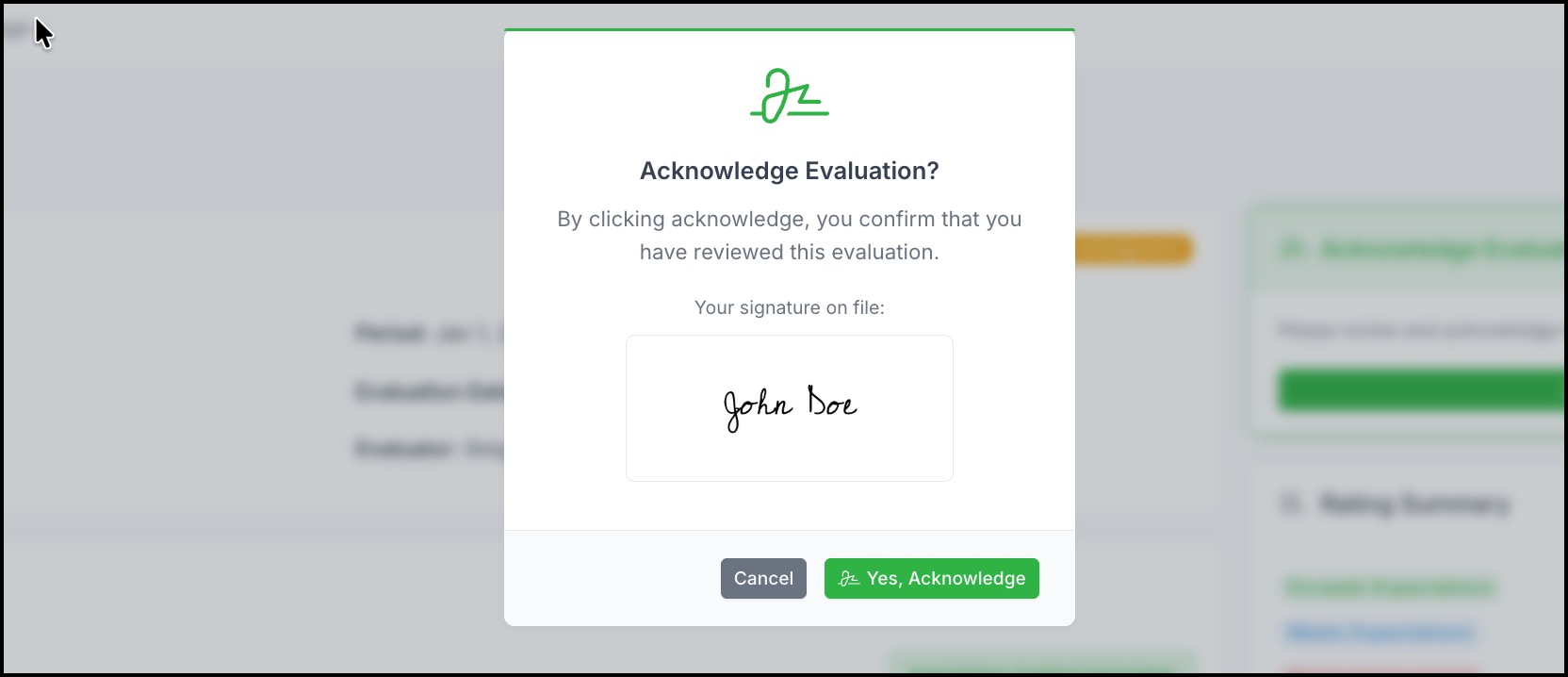
Note: Acknowledging an evaluation indicates you have received and reviewed it. It does not mean you agree with the contents.
Filing an Appeal
If you disagree with your evaluation, you may file an appeal within the allowed time window (typically 30 days after acknowledgment):
- Open your evaluation from My => Evaluations
-
Look for the Request Appeal card in the right sidebar
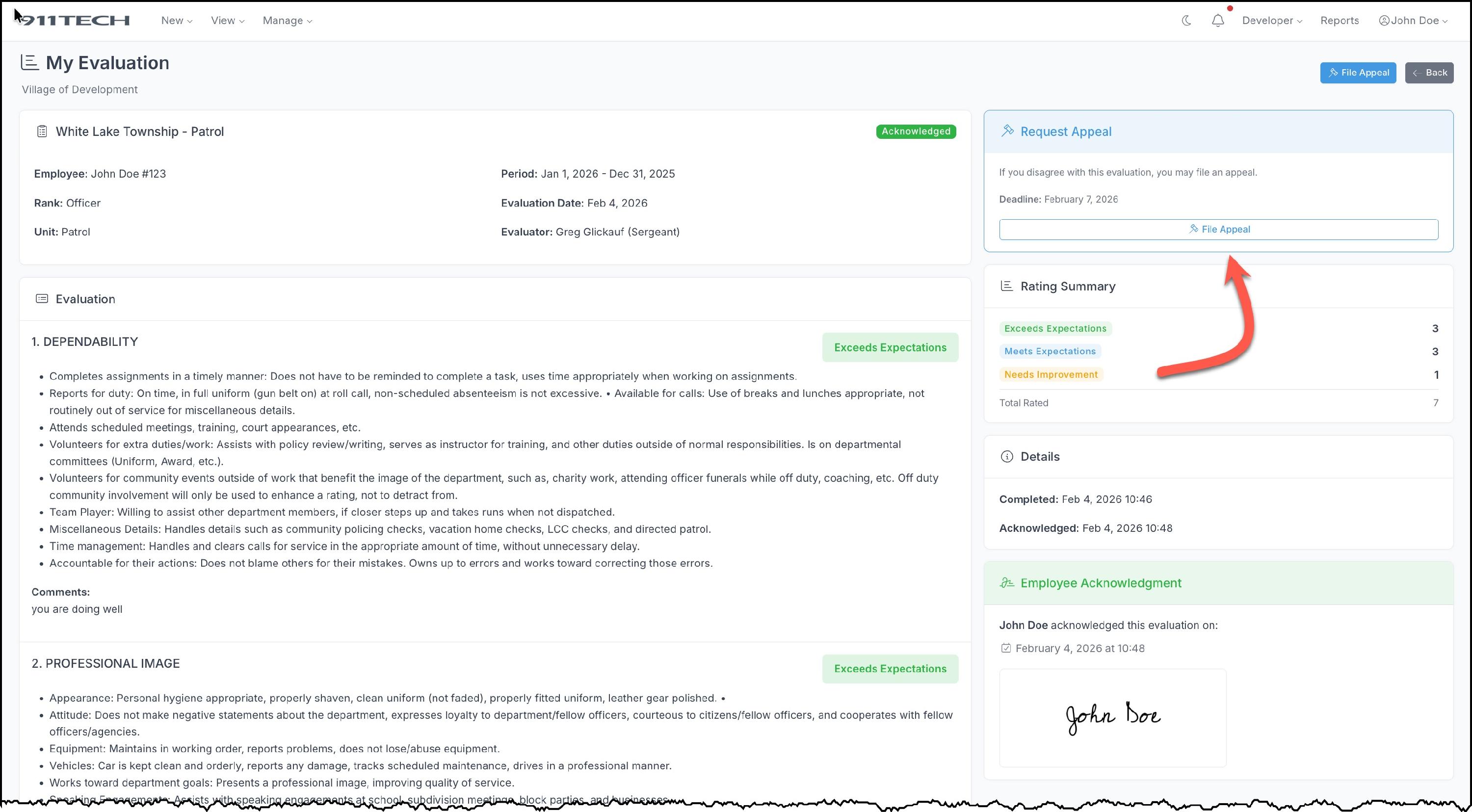
- Click File Appeal
-
Enter your reason for the appeal - be specific about what you disagree with
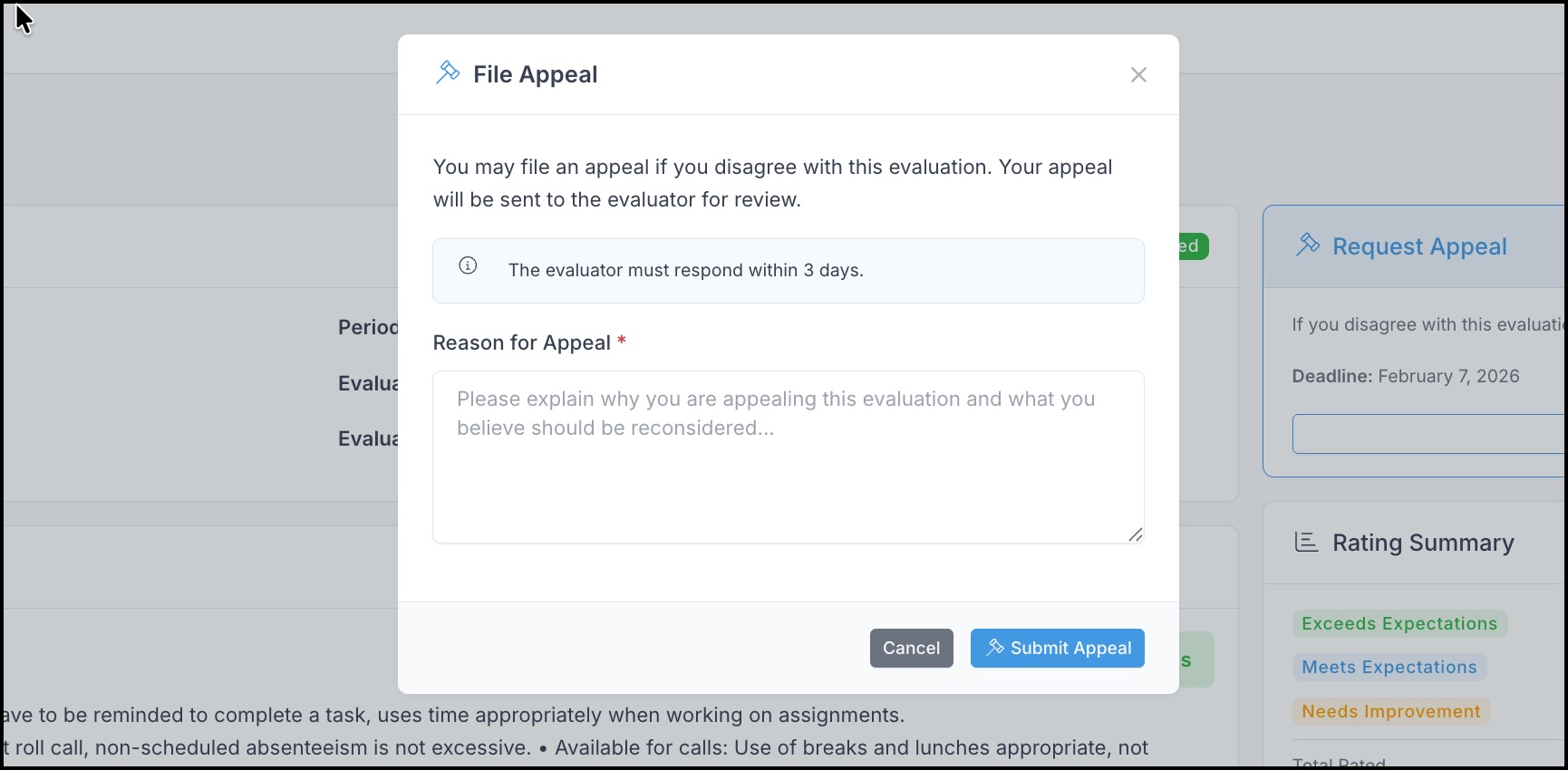
- Click Submit Appeal
Your evaluator will be notified and must respond within the configured time period. You will receive an email when they respond.
Appeal Outcomes
- Granted - Your appeal was accepted. The evaluation will be returned to draft status for the evaluator to revise and resubmit through the workflow.
- Denied - Your appeal was not accepted. The evaluation remains unchanged.

Frequently Asked Questions
Q: Can I edit an evaluation after it's completed?
A: Only users with Evaluation Manager permission or Administrators can edit completed evaluations.
Q: What happens if I miss the appeal deadline?
A: Once the appeal window expires, you can no longer file an appeal for that evaluation.
Q: Can I withdraw an appeal after filing it?
A: No, once filed, the appeal must be responded to by the evaluator.
Q: Who can see my evaluation?
A: Your evaluation can be viewed by you, your evaluator, anyone in your chain of command who outranks you, and users with Evaluation Manager or View All permissions.